 RadiusMapper
AI analyst
An analyst that works on your map
An AI GIS analyst that works on your live map
Ask for what you need in plain English. It finds the parcels, measures the buildings, pulls the data and puts the answer on your map while you watch.
Overview
Ask the question. Let it do the clicking.
A question like every industrial parcel over 5 acres in this corridor, out of the flood zone, near a substation is quick to ask. Answering it means exporting assessor data, then buffering, overlaying and filtering, and doing it again when the boundary moves.
Here you type the question, and the agent works on your map while you watch. It asks you to confirm the area, collects the parcels, checks the land-use codes the county actually uses, pulls in public flood data and selects what's left. Everything it draws stays on the map, and you can edit any of it.
It shows its work. It reports counts and acreage computed from the parcels, tells you which source it used, and stops to ask when it isn't sure which parcel you mean. It can't see owner names, and it never sends mail on its own.
Plain English
Ask a Question, Get an Exact Parcel Selection
Ask for industrial parcels over 5 acres and watch it work. It confirms the area, collects the parcels, checks the land-use codes the county really uses and selects the matches. You get a count, the totals and the source, with no assessor export and no spreadsheet.
- Collects parcels inside, outside or near any shape
- Filters and summarizes on county assessor fields
- Leaves the result as your amber parcel selection
Imagery and data
Finds What No Dataset Lists, and Pulls What Does
No dataset tells you which backyards have pools. The agent sweeps the neighborhood tile by tile in satellite imagery, checks each find up close and selects the parcels. When a question needs flood zones or zoning, it finds what your county or city publishes, checks the fields first and pulls in just your area.
- Sweeps for pools, courts and solar roofs
- Handles negatives, like homes without pools
- Inspects public datasets before adding them
Site planning
Sketch a Site Plan With Real Stall Counts
Before you pay an architect, you want to know if the idea even pencils. Ask the agent to model the building, split it into bays at the sizes you have in mind and fit parking inside your setback. The stall count comes from the same parking solver that draws the plan, so the number in the chat is the number on the map.
- Demises a building into named bays with target sizes
- Parking laid out with setbacks and drive aisles
- Every element stays editable by you
Capabilities
What You Can Hand the Agent
Finds parcels by the numbers
Collects parcels inside, outside or near any shape, then filters and summarizes them by acreage, land use or value.
Sees what you see
Reads satellite imagery with parcel lines and building footprints overlaid, plus an inventory of buildings, parking and streets.
Sweeps an area for features
Scans a neighborhood tile by tile for visible features like pools, courts or solar roofs, verifies each find and selects the parcels.
Measures from real geometry
Outlines buildings, parcels and parking from known geometry, then splits, clips or merges shapes with exact areas.
Pulls public data on demand
Searches public government and utility catalogs, checks fields and sample rows, and adds only the area you need.
Plans sites
Places buildings, parking and drives, demises bays to target sizes and reports stall counts from the parking solver.
Works from your context
Each message carries your selection, your edits, your drive-time radius and your site plan, so it starts from where you are.
Asks instead of guessing
When a parcel or an area is unclear, it asks you to click it on the map before doing any work.
Use Cases
Real Questions, Answered on the Map
AI site selection for industrial land
A developer's land committee meets Thursday and wants every industrial parcel over 5 acres along the corridor. Pulled by hand from assessor data, that's a day of clicking and cross-checking.
Result: An exact selection on the map, a count for the memo and a note on whether it used assessor land use or published zoning.
Geospatial AI for solar land screening near substations
A solar developer needs big parcels close to a substation and out of the flood zone. Buffering, filtering and overlaying that by hand eats most of an afternoon for their GIS person.
Result: A shortlist of flood-free parcels near substations, with acreage totaled from the parcels themselves.
Finding homes with pools for a direct mail campaign
A pool service company wants to mail every home with a pool in two neighborhoods they already serve. No list of backyard pools exists anywhere.
Result: A verified set of pool homes and a postcard draft waiting for review. Nothing goes out until they hit send.
An AI site plan for a retail box redevelopment
The owner of a dated single-tenant box wonders if four smaller tenants would do better. Before paying an architect, they want bay sizes and a parking count.
Result: Exact bay areas and a real stall count for each scheme they try.
Reference
What the AI analyst can do on your map
Find and select parcels
- Collect parcels inside, outside or near any shape
- Filter by assessor fields like acreage and land use
- Count, total, min, max, mean and median
- Tally the land-use codes a county uses
- Read APN, assessed value, acreage, address and land use at a point
- Build the amber parcel selection
- Ask you to click the parcel it should use
Read the map
- Satellite views with parcel lines and building footprints
- Building inventory with square footage and dimensions
- Parking lots and street names
- Area sweeps for visible features like pools or solar roofs
- Negative sweeps, such as homes without pools
- Address and place lookup
Measure and draw
- Outline a building and split it into units
- Draw parcels and parking lots from known geometry
- Subtract, intersect and merge shapes
- Split shapes evenly, by proportion or along a line
- Length, area and point-to-point distance
- Parking stall layouts inside a drawn zone
Public and your own data
- Search public government and utility map catalogs
- Inspect fields, sample rows and row counts
- Query a layer without downloading it
- Add a dataset limited to one area
- Filter your layers by attributes or location
- Join two layers by key or by location
- Hosted substations, power lines, power plants, schools and opportunity zones
Site planning
- Place buildings, parking, drives and landscape
- Move, resize, rotate and set floors
- Demise a building into named bays with target sizes
- Plan parking with setbacks and real stall counts
- Feasibility-only parking runs
- Remove site elements
Hand-offs
- Open the mail composer with a drafted postcard
- Read property reports you already pulled
- Move the map to show you a result
- Use your current drive-time radius as context
Works With
Connected to the Rest of Your Map
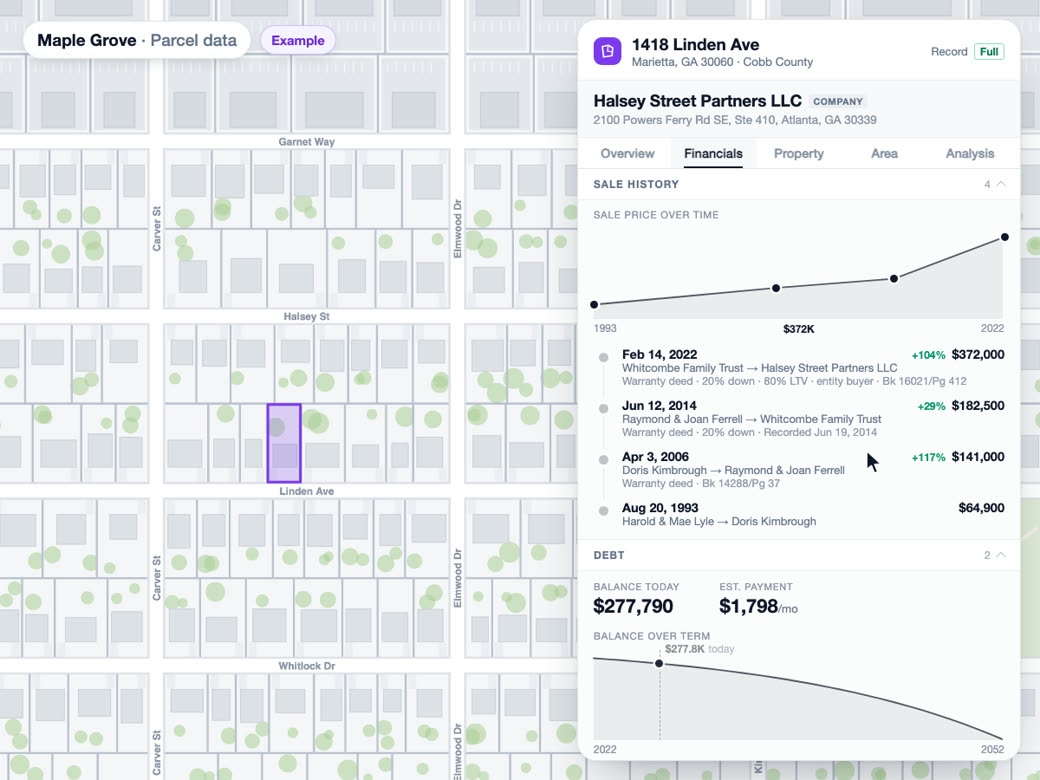
Parcel and owner data
The agent filters and selects the same county parcels you see, and it can read property reports you've already pulled, with owner details removed.
Learn more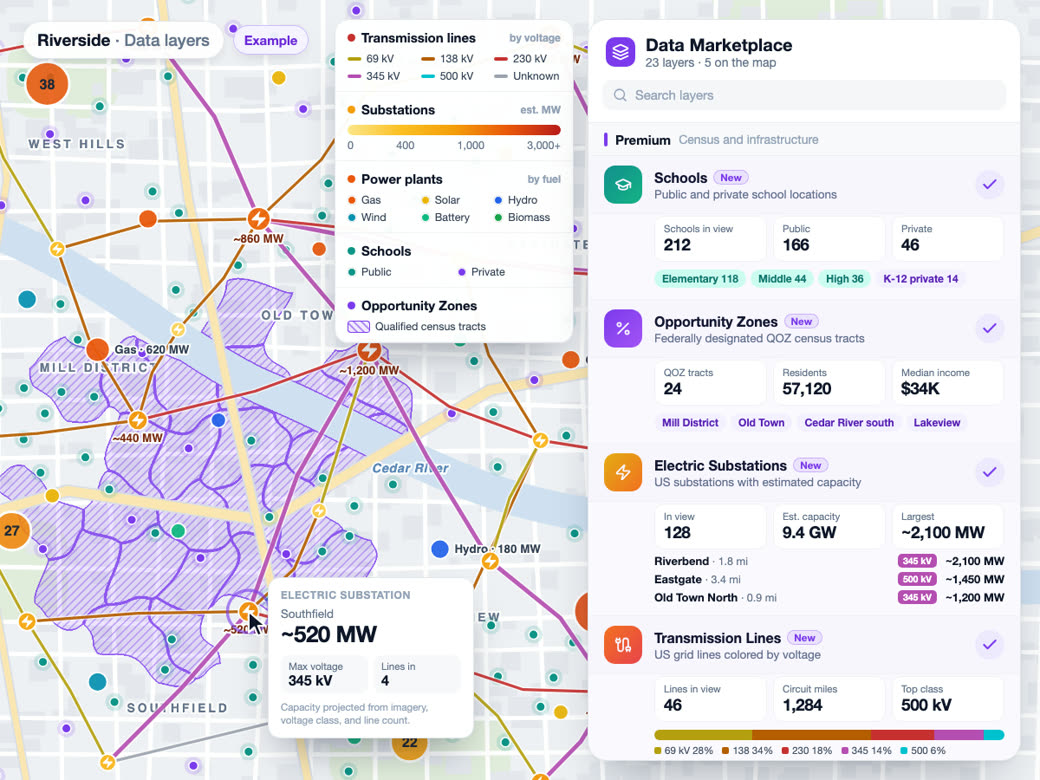
Data layers
It finds and adds public datasets scoped to your area, reads the layers already in your library, and uses any of them as geometry for parcel searches.
Learn more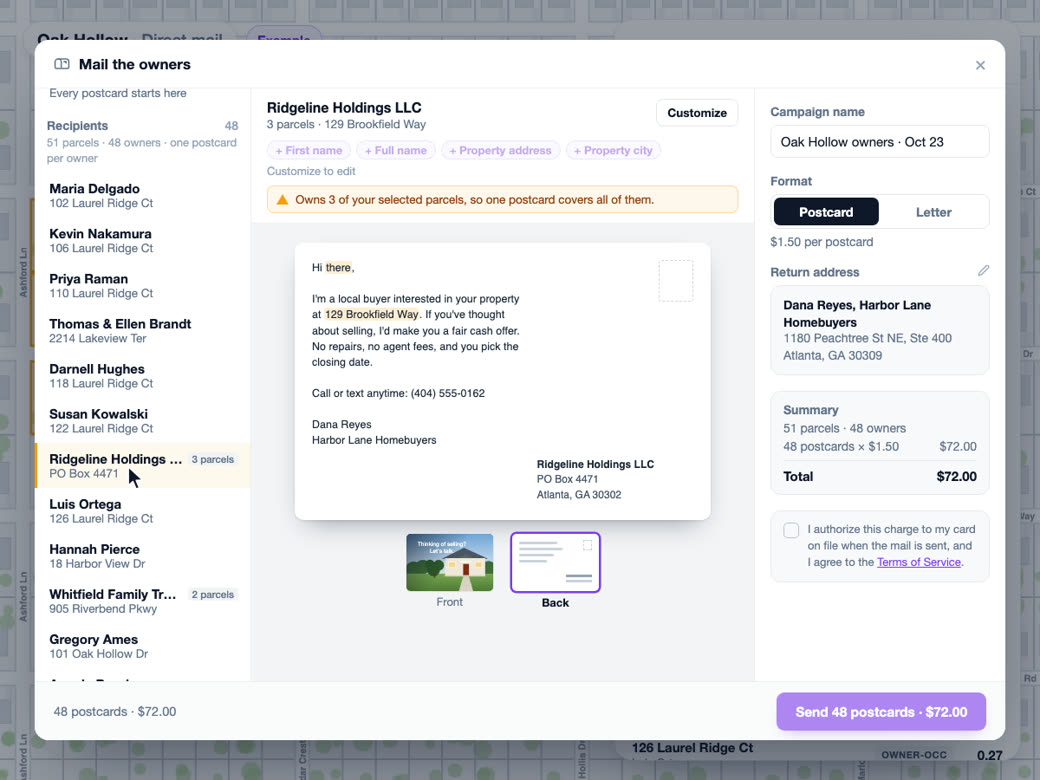
Direct mail
Once a selection is built, it opens the mail composer prefilled with a drafted postcard, and you review and send it yourself.
Learn moreSolutions
Where Teams Use It
Try AI analyst on Your Own Site
AI analyst is part of Pro. Start free, then upgrade when you need it.
Common Questions
What can I ask an AI GIS assistant to do?
Anything about the map in front of you. Find and select parcels, measure a building or a lot, pull up flood zones or zoning, compare areas, sketch a site plan. It does the work on the live map, so the answer shows up as a selection, a shape or a number you can edit.
Can AI find parcels by acreage and zoning?
Yes. It filters on the county's assessor fields, like acreage and land use, and when you need actual ordinance zoning it looks for the zoning map your city or county publishes. It tells you which one it used, because assessor land use and legal zoning don't always agree.
Can the AI see who owns a property?
No, by design. The agent can't see owner names, mailing addresses or contact details, and property reports reach it with owner details stripped out. Ownership lives in the parcel panel, where you look it up yourself.
How accurate is AI for site analysis?
The numbers are computed, not estimated. Areas, counts and stall totals come from the geometry and the same solvers that draw the map, and the agent only reports what its tools return. When it cites a source, it tells you what kind of record it is and how current.
Will the AI change my project or send mail on its own?
It draws ordinary shapes and site plan elements, so you can edit or delete anything it makes, and you can hit Stop at any point. It never sends mail. The most it does is open the composer with a draft for you to review.
Can the AI work with my own data?
Yes. It sees every layer you've added or imported, including the ones sitting in your library and not on the map. It can filter them, join them to another layer by a shared key or by location, and use any of them as the boundary for a parcel search.