 RadiusMapper
Visitor intel
See who actually visits a place
Foot traffic data for any shape you draw on the map
Draw the center you care about and see how busy it gets, when, where visitors live and where they head next.
Overview
See who actually shops there
A drive-by and a count of cars on a Saturday tell you a place is busy. They don't tell you where those shoppers live, what time they come, or whether they come back.
Draw the center on the map, or right-click its parcel and run Area Intel. You get visits for that exact shape: traffic by hour and day, the share of visitors who return, the ZIP codes they come from and how far they travel. Click a ZIP to jump to it on the map. The heat map shows where those visitors spend the rest of their day.
From the same zone you can add the billboards those visitors pass, or an audience report on who they are and how they spend. Census figures for the people who live inside the zone are included, so you can compare residents with visitors. All data is aggregated and anonymized. You see patterns, never individuals.
Draw a zone
Measure the Lot You Care About, Not a Circle
A radius ring around a store picks up the gas station, the apartments and the highway. Draw the actual footprint instead, or right-click the parcel and use its boundary. You get visitor volume, the busy hours and how many people come back, for that shape and nothing else.
- Any polygon, or a parcel's own boundary in one click
- 24-hour activity chart and repeat visitor share
- Edit the shape and it asks to rerun or undo
Visitor origins
See Where Visitors Live and Where They Go Next
Visitor origins ranks the home ZIPs your visitors come from, with the median trip and the distance 90 percent of them live within. Top destinations show where they head next.
- Top home ZIPs ranked by share of visitors
- Median and 90th percentile travel distance
- Destinations ranked by share of visitors
Reach them
Find the Boards Your Visitors Actually Drive Past
A rate card tells you how many cars pass a board, not whether those drivers ever shop at your center. Outdoor media ranks the mapped boards along the routes your visitors drive, and the Audience report adds who they are and how they spend. Then the whole zone exports as one PDF you can send to a client.
- Boards ranked by share of visitors passing
- Personas with income band, life stage and brands
- The whole zone in one Zone Intelligence PDF
Capabilities
What You Get Back for Every Zone
Any shape, or a parcel
Draw any polygon, or right-click a parcel to use its exact boundary as the zone.
Visitor volume and timing
Sampled visitor volume in the zone, a 24-hour activity chart and the share of visitors who come back.
Where else they go
Top destinations outside the zone ranked by share of visitors, plus a heatmap of where their day takes them.
Where they live
Home ZIPs ranked by share, with distance from the zone, median trip and 90th percentile reach.
Billboards they pass
Mapped boards along visitors' modeled driving routes, ranked by exposure and share of visitors passing.
Audience report
Personas with income band, life stage and brands, plus spending tier, share of wallet and in-market signals.
Visitor mix
Separates customers from staff, drivers and pass-through traffic, with typical dwell time.
Resident census alongside
Population, income, housing and commute figures for the people who live inside the zone, included with every run.
Use Cases
The Questions It Settles on Real Deals
Checking retail foot traffic data before signing a restaurant pad site
A franchisee has a pad site offer next to a busy competitor. The lot looks packed, but packed with what: customers, staff or people cutting through? That answer decides a long ground lease.
Result: A clear read on real customer draw, the peak hour and the home ZIPs behind it.
Planning a billboard buy from foot traffic analysis
A regional bank is opening a branch and wants billboards on the roads its future customers already drive. The rate card only says how many cars go by.
Result: A shortlist of boards ranked by how many of the center's own visitors pass them.
Proving a neighborhood center's draw to lease space
A broker is pitching a vacant end cap to a regional fitness brand. Their site team wants to know who shops the center and where those shoppers live, and a 3-mile ring won't satisfy them.
Result: A Zone Intelligence PDF for that exact center, ready to forward to the tenant's site team.
A foot traffic study for a downtown main street
A downtown development office is applying for a state grant. The reviewer wants proof that main street draws people from beyond the city limits, and merchant anecdotes won't cut it.
Result: Home ZIPs and travel distances for corridor visitors, next to the census profile of the people who live downtown.
Reference
What an Area Intel run returns
Movement
- Visitors observed in the zone (sampled)
- Places visited
- Top destinations by distance and share of visitors
- Activity by hour of day
- Repeat visitors
- Visitor heatmap on the map
Visitor origins
- Top home ZIPs
- Neighborhood names for home areas (audience report)
- Distance from the zone
- Share of visitors with a known home area
- Median travel distance
- 90th percentile travel distance
Outdoor media
- Boards in reach
- Travel routes drawn on real streets
- Exposure score from 0 to 100
- Share of traced visitors passing
- Distance from the zone
- Digital and number of sides
- Operator and street name
- Street-level view link
Audience report
- Personas with share, income band and life stage
- Brand and interest signals
- Origin and rhythm reads
- Where else they go: categories and places
- Spending tier and cadence
- Share of wallet
- In the market for
- Tastes, lifestyle and what they're not
Visitor mix
- Customers, staff, drivers and pass-through
- Share of each group
- Longest dwell
- Typical distance from home
- Visitor personas
Resident census
- Total population and households
- Median age
- Median household and per capita income
- Bachelor's degree or higher
- Housing units and occupancy
- Median home value and rent
- Owner and renter occupied
- Commute mode and mean commute
Works With
Connected to the Rest of Your Map
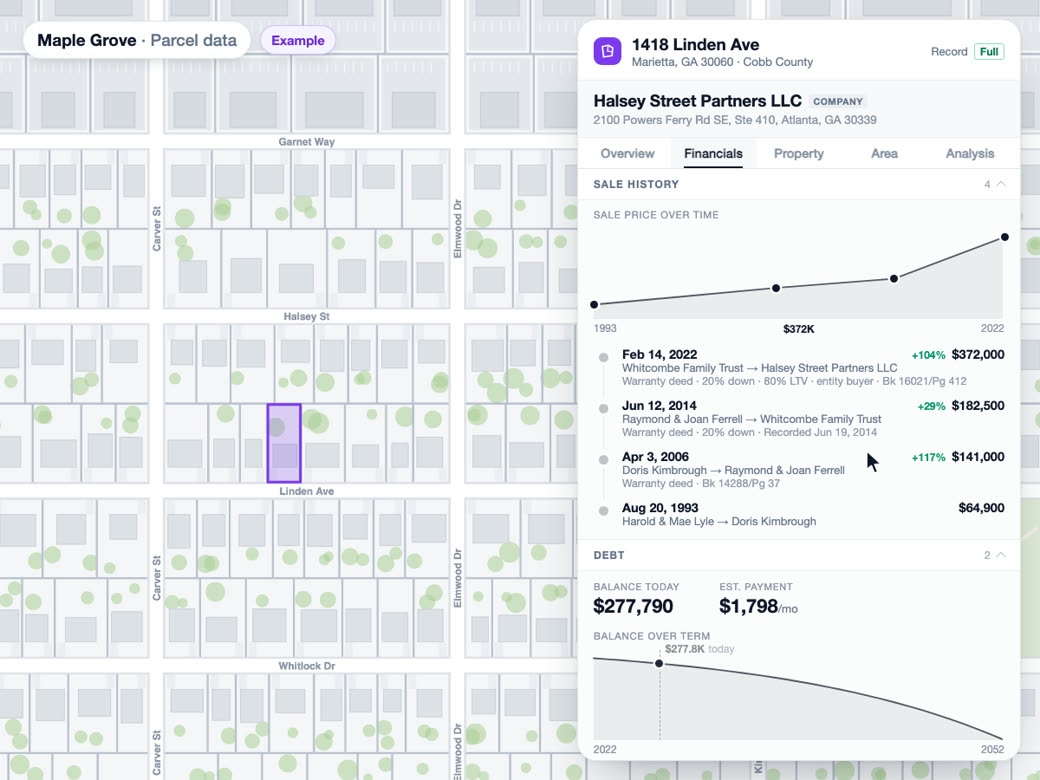
Parcel and owner data
Right-click a parcel and choose Generate, then Area Intel, and the parcel's own boundary becomes the study zone instead of a hand-drawn approximation.
Learn more
Reports and exports
Every zone with results is saved to your account, listed in the Reports tab and ready to export as a Zone Intelligence PDF.
Learn more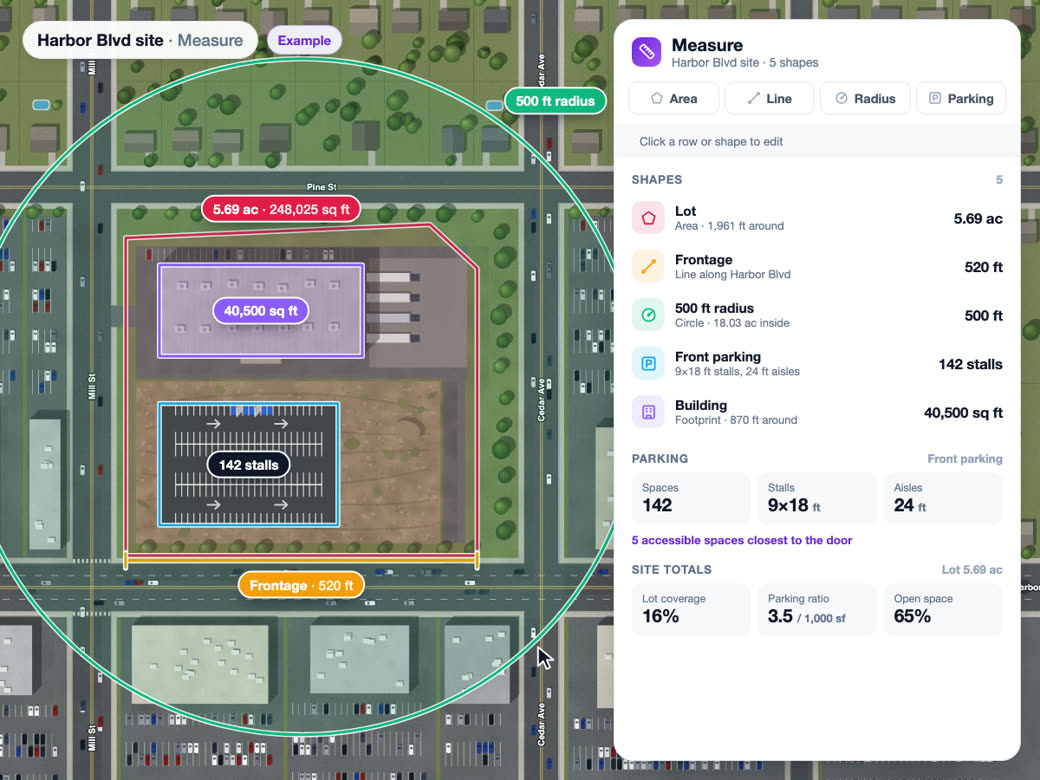
Draw and measure
Intel zones are area shapes on the same map, and editing an analyzed zone asks whether to rerun it for the new outline or undo the change.
Learn moreSolutions
Where Teams Use It
Trade Area AnalysisLearn more
Customer catchment and market penetration.
Location IntelligenceLearn more
Foot traffic, demographics and market insight.
Competitive AnalysisLearn more
Market share, overlap and white space.
Try Visitor intel on Your Own Site
Visitor intel is part of Premium. Start free, then upgrade when you need it.
Common Questions
Where does foot traffic data come from?
It comes from aggregated, anonymized mobile location signals for visits to the zone you draw. The neighborhood demographics are public census survey estimates. Billboards come from mapped inventory, so treat that list as a strong starting point rather than every board in the market.
Is foot traffic data anonymous?
Yes. You're looking at patterns across visitors: counts, shares, busy hours and home areas at the ZIP level. Nobody is identified, in the app or in the PDF.
How accurate is foot traffic data?
Treat the numbers as patterns, not a turnstile count. They're shares of a sample, and small samples are noisier. When a zone is very busy, the Movement tab tells you it traced a sample, and the Media tab warns you when too few visitors were traced to read much into it.
Can I run foot traffic analysis on a single parcel?
Yes. Right-click the parcel, choose Generate, then Area Intel, and the parcel's own boundary becomes the zone, so you're measuring the lot and not a rough sketch of it. If you'd rather draw the shape yourself, any polygon works, from one storefront to a whole district.
Can I see where a store's customers live?
Yes, by ZIP. Visitor origins ranks the home ZIPs, shows how far each one is from your zone, and gives you the median trip and the distance 90 percent of visitors live within. Click a ZIP and the map takes you there.
Can I export a foot traffic report as a PDF?
Yes. Hit Export Report PDF and you get a Zone Intelligence report with the study area, a summary, visitor movement, the add-ons you ran, resident demographics and a methodology note. It only includes the sections you actually ran.