 RadiusMapper
Bring your own data
Drop in a file. Get a map.
Drop in your spreadsheet and plot addresses on a map
Your store list, a client's shapefile, last month's permits. Drag them onto the map and they show up as layers you can filter, color and click, with no conversion step.
Overview
Your list belongs on a map, not in another spreadsheet tab
The list is usually a CSV of stores, permits, customers or sites someone sent over, with the address spread across three columns. Getting it onto a map often means a geocoding tool, a reformatting pass and waiting on whoever runs GIS.
Here you drag the file onto the map. We find the address columns, geocode each address once and drop a pin for every row that matches, with all of your columns still attached. If all you needed was to plot addresses on a map before a meeting, you're done.
The consultant's shapefile works the same way, and so do GeoJSON, KML and GPX. Open the data sheet to filter rows and fix column names, color the pins by status, and the layer stays in your library for the next project. Nothing to install, and nothing to convert first.
Address geocoding
A List of Addresses Becomes a Layer of Pins
You don't have to merge street, city and ZIP into one column first. We read them where they are, geocode each distinct address once and keep every column on its pin. A deed or permit export that lists the same property fifty times gets looked up once, not fifty.
- Street lines split across columns are joined back together
- Repeated addresses are geocoded once and shared
- File coordinates are checked against addresses when both exist
GIS formats
Open Shapefiles, GeoJSON and KML Without Converting
Someone sends a zipped shapefile and you don't have desktop GIS installed. Drag it onto the map and it opens as a layer, lines and polygons included. Drop a few files at once and each one gets its own progress bar.
- CSV, TSV, GeoJSON, JSON, KML, GPX and zipped shapefiles
- Every layer in a zipped shapefile comes in as one import
- Lines and polygons come in too, not just points
Data sheet
Filter, Format and Reuse Every Layer You Import
Every import opens in a sheet that works the way you'd expect. Tick the values you want in a column and the map narrows along with the table. Rename the header nobody understands, show valuation as dollars, and none of it touches your original file.
- Column filters by value that narrow the map too
- Renames and formats never rewrite the original rows
- Copy a cell range straight into a spreadsheet
Capabilities
What Happens When You Drop a File
Addresses to pins
A CSV of US street addresses is geocoded and placed as a layer of pins, keeping every column you had.
Columns found for you
Obvious latitude and longitude columns are read directly, and anything less clear is worked out from a profile of the columns.
Duplicates geocoded once
Exports that repeat the same property many times geocode each distinct address once and share the result across its rows.
Coordinates checked
When a file has both coordinates and addresses, a sample is checked against the addresses and the addresses win if the coordinates are clearly wrong.
GIS files without GIS
Zipped shapefiles, GeoJSON, KML and GPX open in the browser with no conversion step.
A data sheet for every layer
Filter by value, rename and format columns, reorder them and copy cell ranges, with filters applied to the map as well as the table.
Full records on click
Click any feature for every column in the file, with image and video links shown inline.
One library, many projects
Imports are saved to your account, so a layer added once can be switched on in any project.
Use Cases
How Teams Get Their Own Lists on the Map
Mapping a list of franchise addresses before a territory review
A franchise development lead has 400 open and pipeline stores in a spreadsheet, with street, city, state and ZIP in separate columns. The territory review is Thursday, and they need every store on one map, split by status.
Result: Every store on one map, colored by status and narrowed to the territory, ready to talk through.
Turning a county permit export into a map of active construction
A preconstruction manager has a county permit export where the same property shows up once per permit. They want to see where new commercial work is clustering so the team knows where to start calling.
Result: A clean map of active commercial permits, with valuations that read like dollar amounts.
Reviewing a utility service territory shapefile against a site
An energy developer got a zipped shapefile of utility service territories from a consultant and doesn't have desktop GIS. They need to know which territory a candidate parcel sits in before the interconnection call.
Result: The answer for this site in a few clicks, and the territory file waiting in the library for the next one.
Plotting delivery routes and stops from GPX and coordinates
A regional operations manager has GPX tracks from driver devices and a stop list with latitude and longitude columns. They suspect two territories overlap and would rather see it than argue about it.
Result: Routes and stops on one map, with the overlap right there for everyone to see.
Reference
What the importer reads and what you can do with it
File formats
- CSV
- TSV
- GeoJSON
- JSON arrays and nested JSON records
- KML
- GPX
- Zipped shapefile
- Drone and camera photos (JPG, PNG)
Location columns detected
- Latitude and longitude columns
- Single full street address column
- Street split across several columns
- City, state and ZIP columns
- WKT geometry column
- GeoJSON geometry column
Geometry
- Points and multi-part points
- Lines and multi-part lines
- Polygons and multi-part polygons
- Mixed geometry layers
- Stacked points at one address, with a count badge
- Large point layers cluster with counts
Styling
- Layer color from a preset palette
- Your own brand color
- Pick a color from the screen
- Color by a category column
- Labels from a name or ID column
- Overlay opacity for photos
Data sheet
- Every row and column, smooth on big files
- Filter a column by its values, with search
- Rename a column without changing the data
- Format as text, number, currency, percent or date
- Drag to reorder columns
- Copy a cell range to paste into a spreadsheet
Library
- Saved to your account, reused across projects
- Remove from a project, keep in the library
- Rename, zoom to layer, delete from account
- Duplicate file detection on re-import
- Public GIS layers saved alongside your files
Works With
Connected to the Rest of Your Map
AI analyst
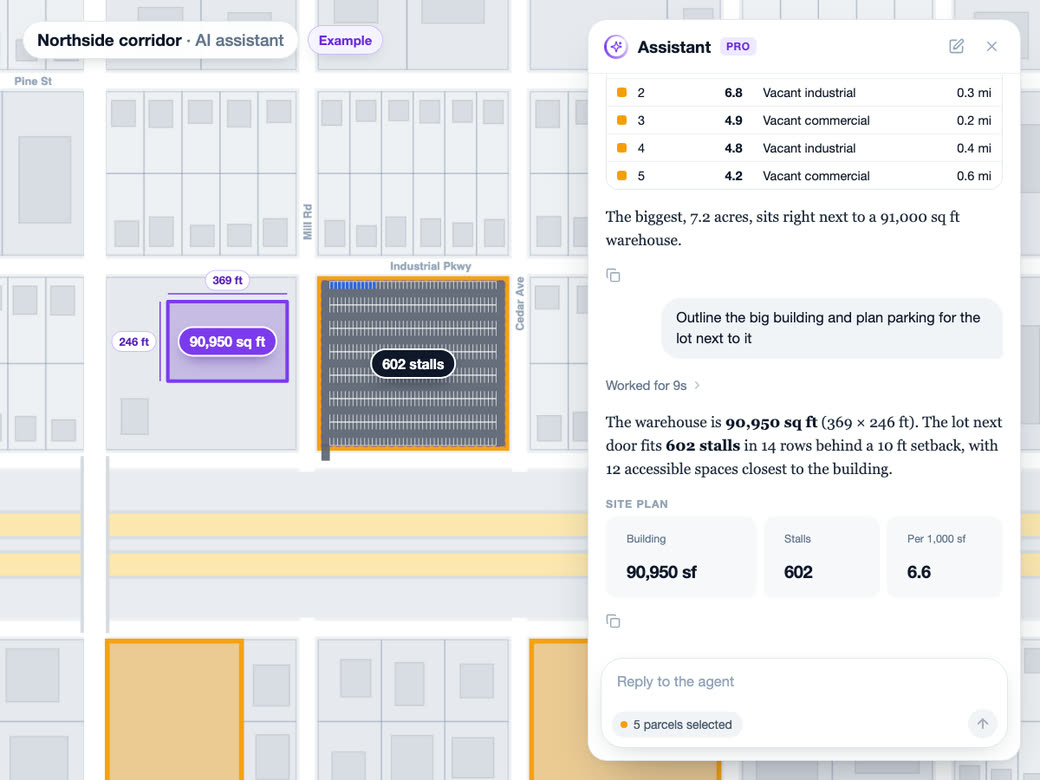
The AI analyst can join one imported layer onto another by a shared key or by distance, and the join is saved on the layer so it replays when you reopen it.
Learn more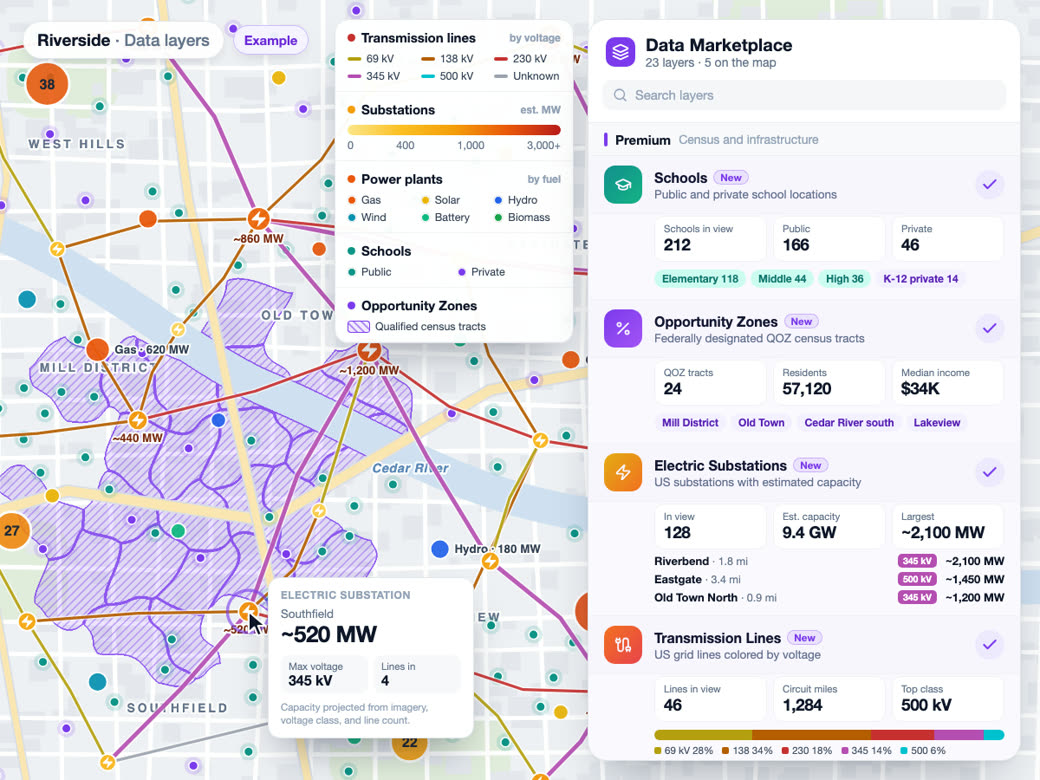
Data layers
Public GIS layers you pull in from the data catalog land in the same library as your files, with the same data sheet, filters and styling.
Learn more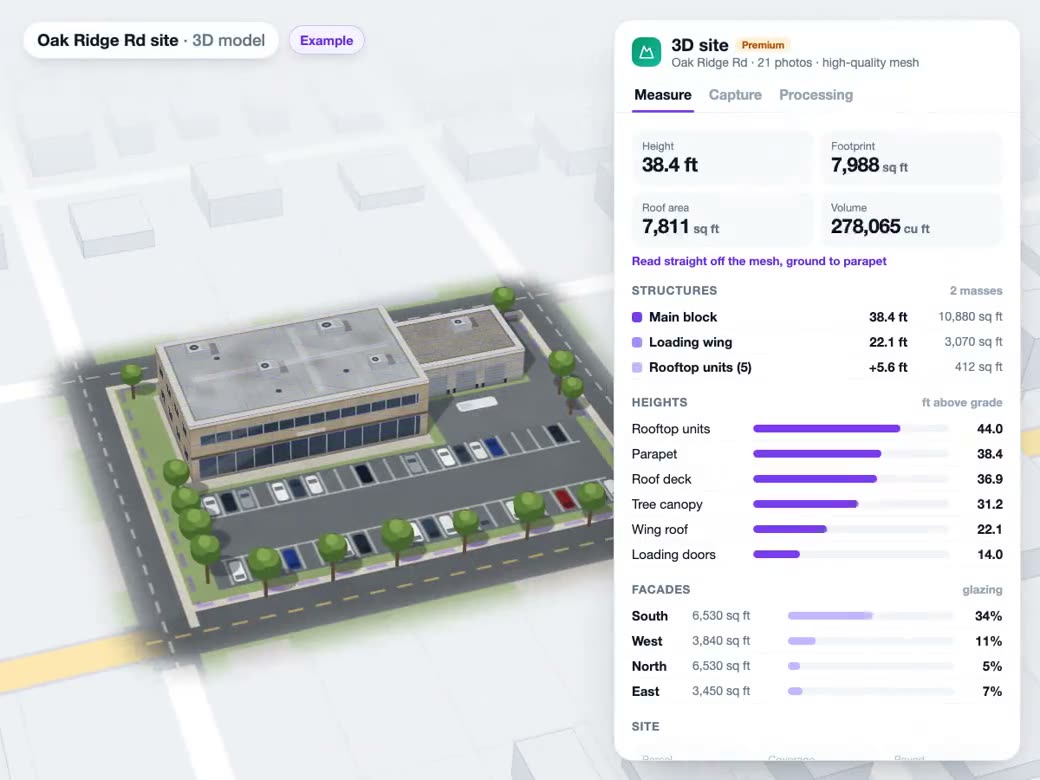
Drone photos to 3D
Drone photos use the same drop: one or two are placed as photos, and three or more open a choice between photos and a 3D reconstruction.
Learn moreSolutions
Where Teams Use It
Competitive AnalysisLearn more
Market share, overlap and white space.
Fleet & LogisticsLearn more
Delivery zones and service coverage.
Data LibraryLearn more
Demographic and census data layers.
Territory MappingLearn more
Sales territories built on real drive times.
Try Bring your own data on Your Own Site
Free to start. No credit card required.
Common Questions
How do I plot addresses on a map from a CSV?
Drag the CSV onto the map. We pick out the street address column, plus city, state and ZIP if you have them, geocode each address and drop a pin for every row that matches. Rows we can't match are left off, and if nothing matches you get a message telling you why.
Can I map a list of addresses without latitude and longitude?
Yes, as long as they're US street addresses with a house number. If your file already has latitude and longitude, we use those instead. Addresses outside the US won't match yet, so add coordinate columns for those rows.
Can I view a shapefile, GeoJSON or KML file online without GIS software?
Yes. Drag in a zipped shapefile, GeoJSON, KML or GPX file and it opens as a layer you can style, filter and click. A zip with several shapefiles comes in as one layer, and each feature keeps the name of the file it came from.
Can I import an Excel file?
Not directly. Save the sheet as a CSV and drag that in, and everything else works the same.
How do I color pins by category on a map?
Open the layer's style menu and turn on Color by. The import has already picked a likely category column, like status or brand, and each value gets its own color. Switch to another column whenever you like, and add labels from a name or ID column when the pins get dense.
Is my uploaded data private?
Your imports live in your own account library. Files are read in your browser. Address columns go to our geocoder, and if we can't tell where the location is in your file, we look at a summary of the columns and a few sample rows to work it out.