 RadiusMapper
LiDAR in 3D
See the site in true 3D
A LiDAR map of any covered US site, right in your browser
Pull up LiDAR for the site you're looking at and read the grade, the tree cover and the building heights before anyone walks it.
Overview
See the grade, the trees and the roofs before you drive out
Flat imagery hides things that change a site plan: a slope that needs retaining walls, a tree line that shades half the array, a neighbor two stories taller than you assumed. Those usually show up on the site walk, or when the survey comes back.
Turn on LiDAR and the public survey points for wherever you're looking stream onto the map in 3D. Tilt it, orbit it, color it by elevation. It's a LiDAR map of the ground and everything standing on it, with no files to download. Pan and it keeps loading.
Hide the ground and you're looking at canopy. Hide everything but buildings and you can read a block's rooflines. Turn on parcels and the lot lines run right through the cloud, so you know which trees and which slope are actually on your lot.
Public surveys
Survey Points Stream In for the Site You Open
There's nothing to find or download. Switch LiDAR on over a covered US location and points load for the area in view, from every survey that overlaps it, coarse detail first. Keep panning and it keeps loading.
- Overlapping surveys in view load together
- Fast, Balanced and Max quality for any machine
- Outside coverage, the toggle reads Outside coverage
Classification
Isolate Ground, Trees and Buildings in One Click
The survey already labeled every point as ground, vegetation, building or water. So you can switch off the ground and look at nothing but canopy, or keep only buildings to read the rooflines on a block. The style presets flip the coloring between class, intensity and elevation without a trip into settings.
- Ground, trees, buildings, water, other and noise
- Clean, Natural, Vivid and Bold style presets
- True color where the survey recorded it
Advanced controls
Read Grade and Height With Exaggeration and Clipping
A gentle slope is hard to see at true scale. Turn up elevation exaggeration and it's obvious. Clip the cloud between two heights to study one band of canopy, and turn on parcels to see lot lines drawn through the 3D view.
- Elevation exaggeration that makes a gentle slope obvious
- Minimum and maximum elevation clipping
- Parcel lines drawn through the point cloud
Capabilities
The Controls You'll Actually Reach For
Streams what you are looking at
Points load for the area in view from every overlapping public survey, and keep loading as you pan.
Coverage check built in
Outside covered areas the toggle reads Outside coverage instead of loading an empty view.
Isolate what matters
Show or hide ground, trees, buildings, water and other classes the survey assigned.
Color by elevation or class
Style presets switch between class colors, intensity and elevation gradients in one click.
Exaggerate subtle grade
Elevation exaggeration and vertical scale make gentle slopes and drainage paths easier to read.
Clip by height
Set minimum and maximum elevation to cut away the ground or anything above a given height.
Parcel lines in 3D
Lot lines draw through the point cloud when the parcel layer is on, so the cloud reads against the property.
Tuned for any machine
Choose Fast, Balanced or Max quality, or set the point budget directly, to trade detail for speed.
Use Cases
Questions You Can Answer Before the Site Visit
Checking tree canopy on a community solar site with a LiDAR map
A solar developer is looking at a 20-acre parcel for community solar. If there's a heavy tree line on the south side, the system gets smaller or the clearing bill gets bigger, and they'd rather know now.
Result: They know which edges carry tall trees before paying for a shading study.
Reading grade and drainage on an infill lot from LiDAR elevation data
A developer is screening a sloped infill lot for townhomes. Which way the ground falls decides the unit layout and how much retaining wall they're buying, and no civil engineer is on the project yet.
Result: They go into the first call with the engineer already knowing which way the lot falls.
Spotting overhanging trees on an insured property
An underwriter is renewing a policy on a commercial building and wants to know whether big trees hang over the roof. Overhanging limbs are a storm claim waiting to happen.
Result: A clear look at tree cover over the roof, without anyone driving out.
Building neighborhood massing context for a concept design
An architect is starting a concept for a mid-rise on a corner lot and needs a feel for the neighbors' heights. Modeling the whole block is more than an early concept deserves.
Result: A 3D read of the block's heights to set the concept's massing against.
Reference
LiDAR viewer controls and options
Style presets
- Clean: classification colors
- Natural: intensity gradient
- Vivid: elevation gradient
- Bold: large round points by class
Point classes
- Ground
- Vegetation (trees)
- Buildings
- Water
- Unclassified or other
- Bridge deck
- Overlap points
- Noise
Color modes
- Classification
- Elevation
- Intensity
- True color (RGB) where recorded
- Single color
- Seven elevation color ramps
- Brightness and contrast
Elevation and lighting
- Elevation exaggeration
- Vertical scale
- Minimum and maximum elevation clipping
- Eye-dome lighting radius and strength
- Material and lighting
- Flatten to ground
Quality and performance
- Quality: Fast, Balanced, Max
- Adjustable point budget
- Point size, shape and opacity
- Size in pixels or meters
- Progressive loading, coarse first
- Loading tuned for slower machines
Quick presets
- High Quality
- Performance
- Buildings Only
- Terrain Only
- Elevation Map
- Dense Detail
- Overview
Works With
Connected to the Rest of Your Map
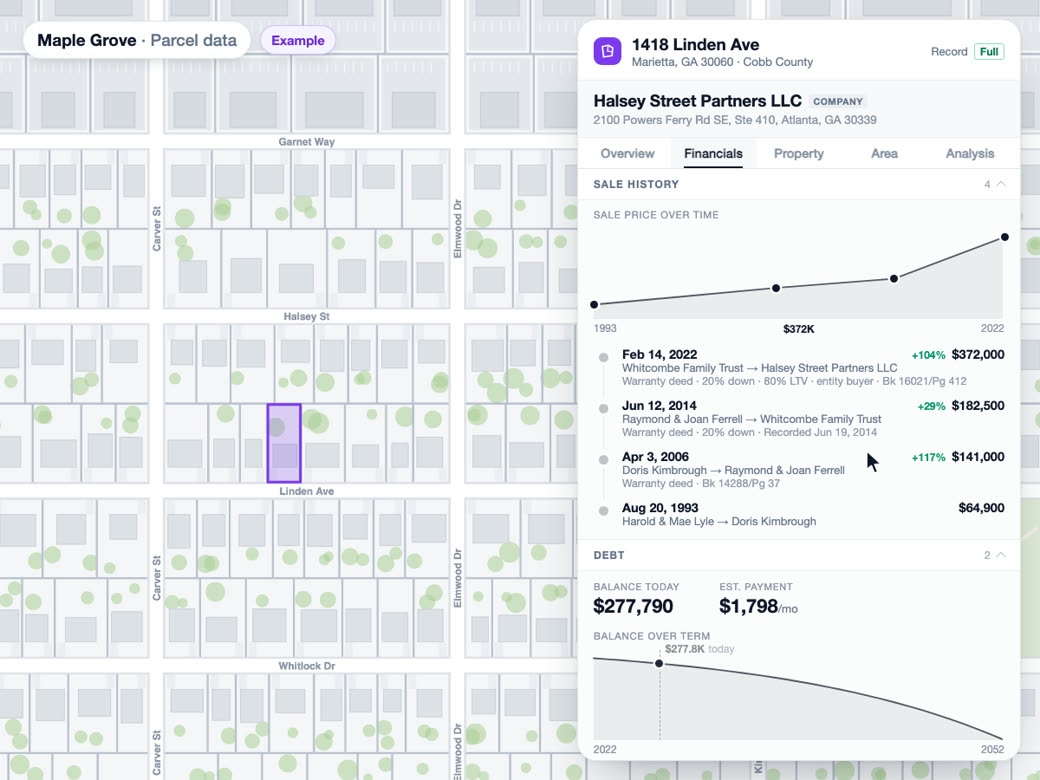
Parcel and owner data
With the parcel layer on and the map zoomed in, lot lines are drawn through the 3D point cloud and selected parcels stay highlighted in it.
Learn more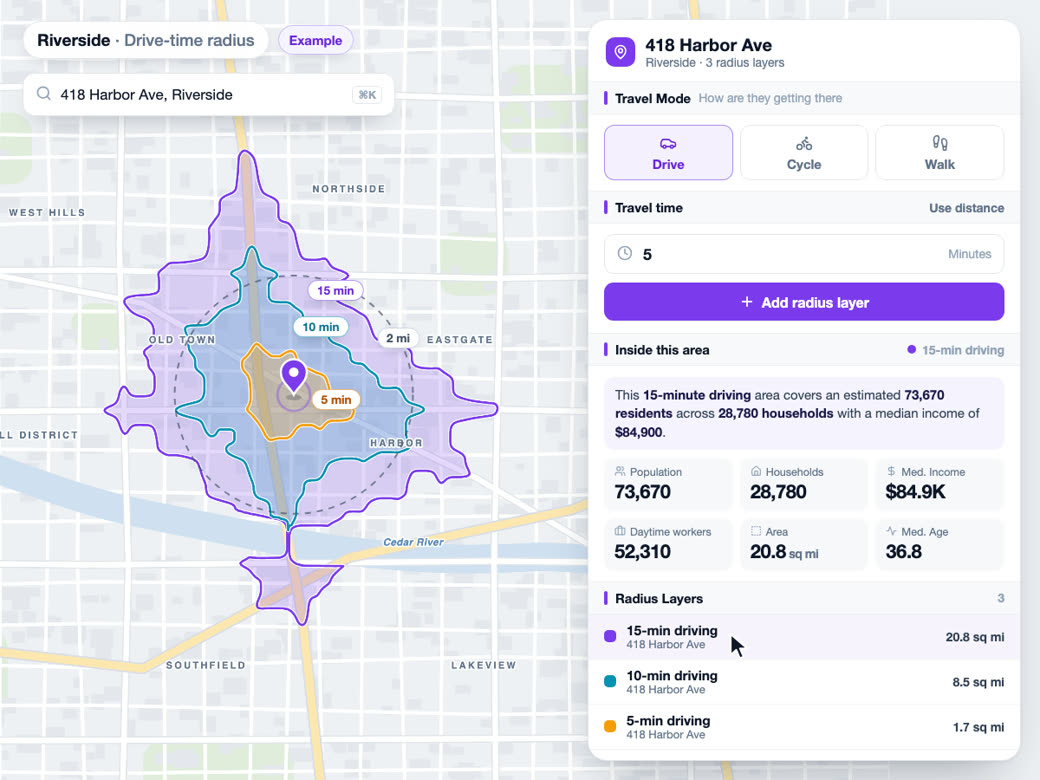
Drive-time maps
A searched place's card carries a LiDAR tile beside Radius, so the 3D view opens on the same spot you are running a drive-time map from.
Learn more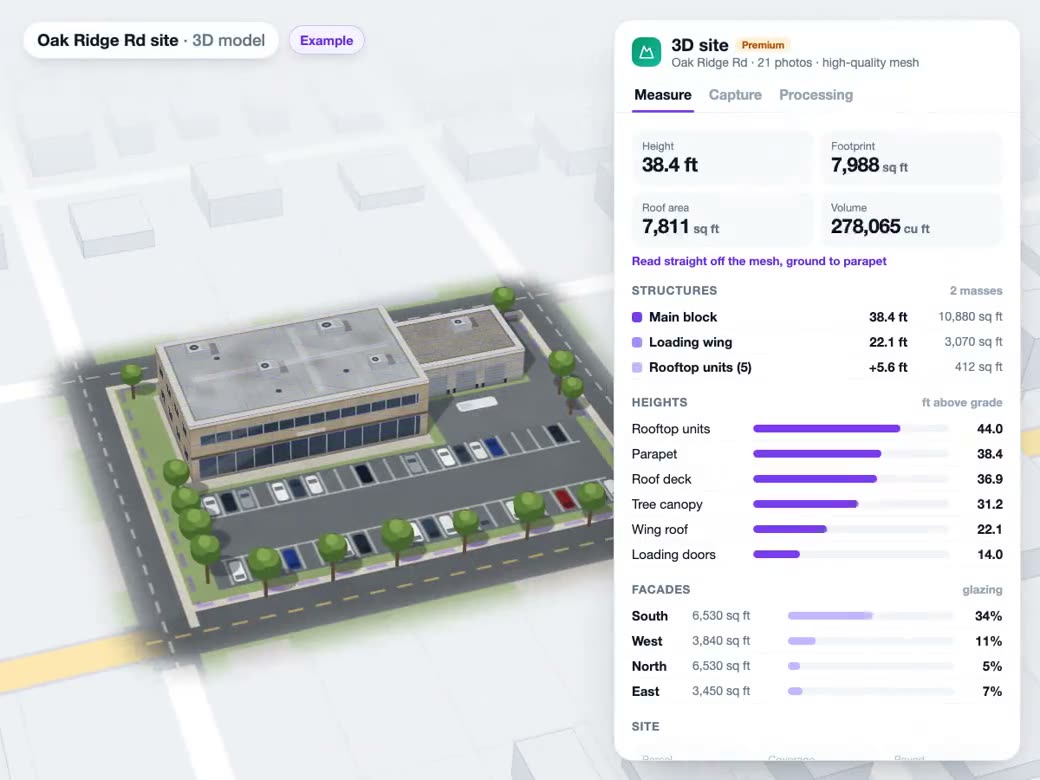
Drone photos to 3D
LiDAR gives the public survey view of a site, and a drone reconstruction adds your own current capture of it on the same map.
Learn moreTry LiDAR in 3D on Your Own Site
Free to start. No credit card required.
Common Questions
Where can I find free LiDAR data for my property?
Search the address, open LiDAR and click Activate. If a public survey covers that spot, the points stream straight onto the map, with nothing to download. If not, the toggle says Outside coverage, so you're not left staring at an empty map.
How can I see the slope of a lot in 3D?
Turn on LiDAR, open Advanced Controls and apply the Terrain Only preset so only the ground is left. Raise elevation exaggeration until the fall of the lot is obvious, then turn on parcels so the lot lines draw through the cloud. Orbit around it and you can see which way the ground drains.
Can I view LiDAR data outside the United States?
No. We stream public US surveys, so the viewer only works inside the United States, and coverage varies from region to region.
What do LiDAR classes like ground and vegetation mean?
Every point in a survey is tagged with what it hit: ground, vegetation, buildings, water, bridge deck and so on. Switch classes off and you can see bare terrain on its own, or only the trees and structures on a site.
Can I upload my own LAS or LAZ point cloud files?
Not today. The viewer streams public survey data. If you need your own capture of a site, you can turn drone photos into a textured 3D model and see it on the same map.
How accurate is LiDAR elevation data?
The points come straight from the public surveys, so how dense and accurate they are depends on which survey covers your site and when it was flown. Use it to screen grade, canopy and structures early. It doesn't replace a site survey.