 RadiusMapper
Reports and exports
Client-ready in one click
Demographic reports you can hand to a client today
Turn a drive-time area or an Intel zone into a report you'd actually send, or hand your GIS team the shapefile. No screenshots, no slide building.
Overview
The report your client asked for, without the screenshots
A trade area for a client usually turns into screenshots of the map, census tables pasted into a slide, and a question about where the numbers came from.
Here you search the address, set the drive time and download a demographic report. It's a few clean pages: the map, then population, households, income, home value, rent, owner-occupancy, education and commute for that exact area. For a GIS team, the shape downloads as GeoJSON or a shapefile with the same numbers attached.
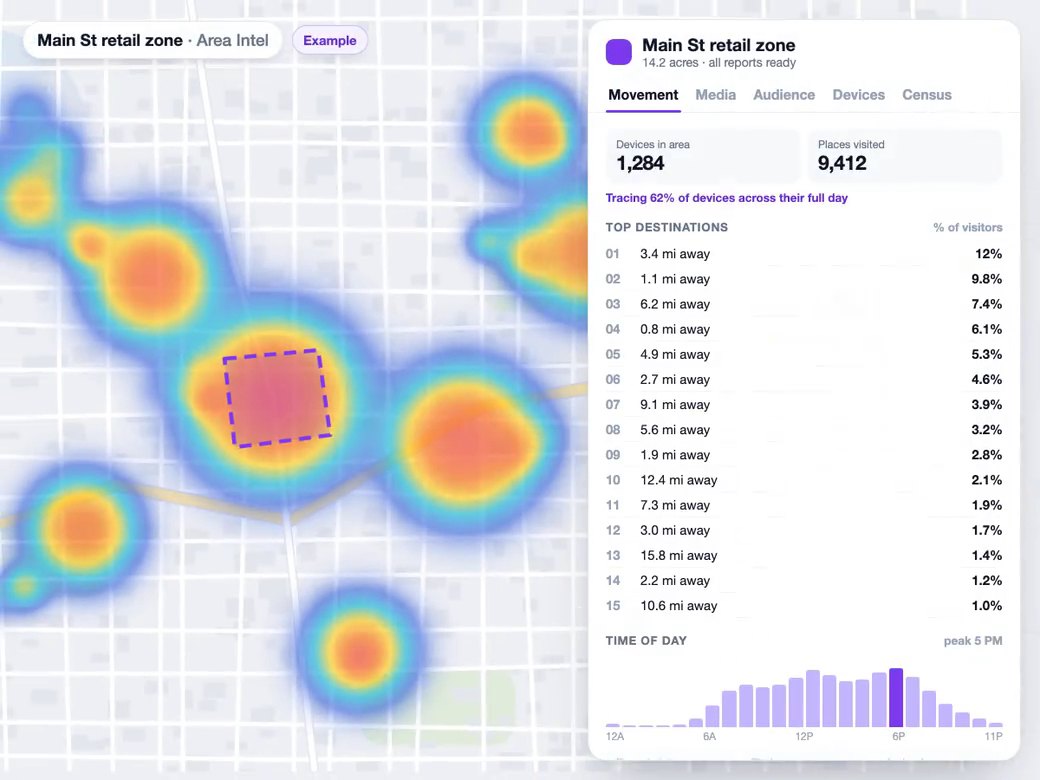
When the question is who actually shows up, run Intel on the zone and download the Zone Intelligence Report. It covers where visitors come from, when they arrive, which places and brands fill their day and which billboards they pass, and it ends with a methodology page on how the figures were produced. Every zone report stays in your account, so you can pull it again months later.
Drive-time report
A Client-Ready Demographic Report From Any Address
Search the address, pick drive, walk or cycle and a time, and choose Full Report (PDF). You get the map, three headline numbers and the demographic tables a tenant rep or lender expects, laid out and paginated.
- Population, households, income, home value and rent
- Education, commute, owner and renter split, vacancy
- The exact drive-time area mapped on page one
Zone Intelligence
Where Visitors Come From, Not Just Who Lives There
Census tells you who lives near a site. The Zone Intelligence Report shows who actually visits: their home ZIPs, how far they travel, which hours are busy and which places and brands fill the rest of their day. It includes only the Intel you ran on that zone and closes with a methodology page.
- Visitor origins by ZIP with distance and share
- Activity by hour of day and draw distance bands
- Outdoor media and audience sections when you add them
Report
GIS and library
Hand Off the Shapefile, Keep Every Report
Drive-time areas download as GeoJSON or a zipped shapefile with the demographics already in the attribute table, so nobody redraws anything. Zone reports save to your account as soon as results arrive. Rename them, rebuild the PDF or put the zone back on any map, even after you've cleared it.
- Address, mode, minutes and census fields as attributes
- Ring order fixed so strict GIS readers open it cleanly
- Zone reports kept across projects, ready to re-download
Capabilities
What Ends Up in Your Reports
A finished PDF, not screenshots
Reports are laid out page by page with numbered exhibits, captions, running headers and page numbers.
Only the sections you ran
A zone report includes the Intel products you ran on that zone and lists them on its contents page.
Maps drawn from the analysis itself
Visitor footprint and media corridor maps are rendered from your stored results, so the plates match the numbers.
Visitor origins and travel distance
Tables show where visitors come from, how far they travel, and how activity spreads across the hours of the day.
Demographics from public census data
Population, income, home value, rent, owner-occupancy, education and commute figures are drawn from public census estimates.
Shapes that open in your GIS
Export a drive-time area as GeoJSON or a zipped shapefile with address, mode, minutes and demographics as attributes.
A library that outlives the map
Zone reports save to your account, work across projects, and remain after you delete the zone.
Clear methodology
Each zone report closes with how the figures were produced and where their limits are.
Use Cases
Reports That Move a Deal Forward
A demographic report for a tenant's first call
You're pitching a 2,400 SF endcap to a regional coffee chain, and their real estate team won't tour without demographics. You need something clean you can send tonight, not a slide of screenshots.
Result: A demographic report and a matching shapefile for the trade area, in their inbox the same day.
Foot traffic report on a competitor's site
You're weighing a site across the road from a busy competitor. Your board wants to know where that competitor's customers come from before anyone signs a lease.
Result: A report showing where the competitor's visitors live, how far they travel and when they show up, ready for the board deck.
Billboard placement for a new location
You're buying billboards for a new clinic opening. The client wants boards on the roads their likely patients actually drive, not just the busiest road in town.
Result: A ranked shortlist of boards along visitors' real driving routes, with aerial shots to show the client.
Revisiting a market study months later
You ran Intel on three candidate zones for a client, then cleared the map for other work. Months later the client wants that analysis back in a deck.
Result: All three zone reports back on the map and downloaded again, without rerunning anything.
Reference
What's in each report and export
Zone report: summary
- Cover with date, reference and study area size
- In this report contents list
- Zone in context and street network maps
- Visitors observed and places visited
- Repeat rate
- Median travel distance
- Methodology and notices page
Zone report: visitors
- Observed visitor footprint map
- Activity by hour of day
- Visitor origins by ZIP, distance and share
- Draw distance, under 2 to over 25 miles
- Place categories indexed
- Brand exposure indexed
Zone report: add-ons
- Outdoor media: boards in reach and street routes
- Leading placements with aerial images
- Operator mix of ranked boards
- Audience: where they come from, when they show up
- Spend signature, lifestyle and in-market signals
- Visitor mix: customers, staff and drivers
- Resident demographics from census tracts
Drive-time PDF report
- Address, travel mode, minutes and coordinates
- Snapshot of the map
- Population, median income and households
- Median age and per-capita income
- Median home value and median rent
- Owner-occupied share and vacancy rate
- Education and commute measures
- Owner versus renter and occupied versus vacant
Shape export
- GeoJSON file
- Zipped shapefile
- Address, mode and minutes
- Population and households
- Median income, age, home value, rent
- Owner-occupied and degree shares
- Mean commute and work-from-home share
- Ring order corrected for strict GIS readers
Reports library
- Every Intel zone saved automatically
- Works across projects
- Kept after the zone leaves the map
- Rename with a double-click
- Download PDF again
- Add the zone back to the map
- Delete a report
Works With
Connected to the Rest of Your Map
Visitor intel
Intel results land in the Reports tab as soon as they arrive, and the Zone Intelligence Report includes only the Intel products you ran on that zone.
Learn more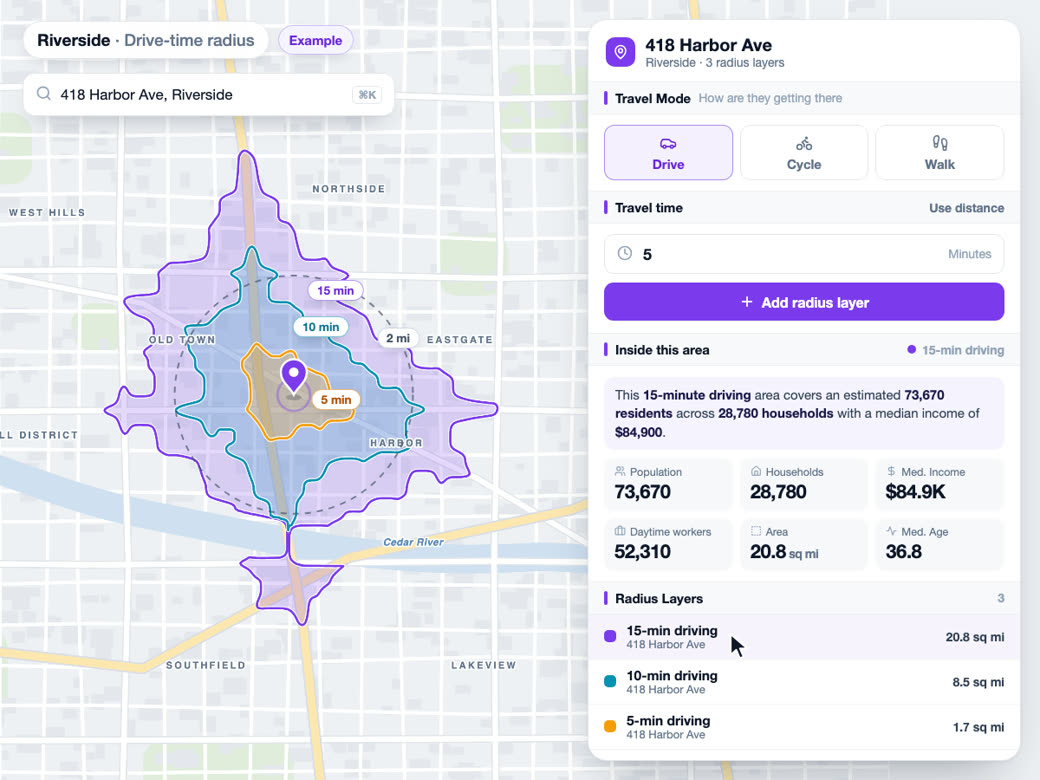
Drive-time maps
Every drive-time result has an export menu with the demographic PDF report and GeoJSON or shapefile downloads of that exact area.
Learn more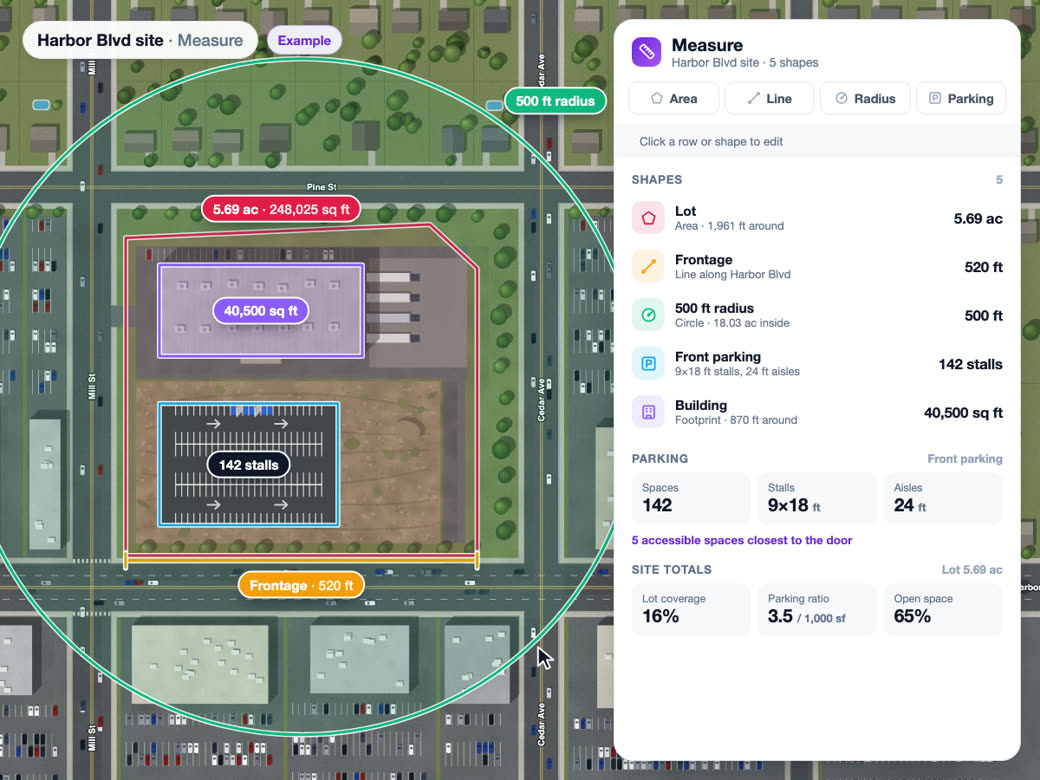
Draw and measure
A zone report's study area is the area you drew on the map, and its outline appears on the report's cover and map exhibits.
Learn moreSolutions
Where Teams Use It
Try Reports and exports on Your Own Site
Reports and exports is part of Pro. Start free, then upgrade when you need it.
Common Questions
How do I create a demographic report for an address?
Search an address, set a drive, walk or cycle time, and choose Full Report (PDF) from the export menu on the result. If you want foot traffic in it, run Intel on a zone you've drawn and download the Zone Intelligence Report from the Intel panel or the Reports tab.
What's included in a demographic report?
The drive-time report gives you the map plus population, households, income, age, home value, rent, occupancy, education and commute for that exact area. The Zone Intelligence Report adds where visitors come from, how far they travel and when they show up, the places and brands they visit, and any add-ons you ran: media placements, audience profile and visitor mix.
Can I export a drive time polygon as a shapefile?
Yes. Any drive-time result downloads as GeoJSON or a zipped shapefile, and the address, travel mode, minutes and census demographics come along as attributes.
Where does the demographic data in the reports come from?
From public census 5-year estimates for the census tracts that touch your area. The zone report tells you how many tracts it used, so you can footnote it.
Is the foot traffic data in reports anonymized?
Yes. Visitor numbers come from aggregated, anonymized location data and are shown as shares of the sample. Nobody can be identified from a report, and the methodology page says so.
Can I get a report back after I delete the zone?
Yes. Every zone report is saved to your account the moment results arrive, and it stays there after the zone leaves the map. Open Reports to download the PDF again, or choose Add to Map to bring the zone and its results back into any project.